Monday, July 28, 2008

$150 in free facebook ads


Totals $150, they can all be activated. You need to register a credit card with them. Make sure you limit your campaigns and watch them closely - facebook has been known to let campaigns run over their daily limit and charge for it.

$50 Free Facebook Coupon Code : T5V6-1JKV-TNH9-2MRH
$50 Free Facebook Coupon Code : 2JXY-WTFK-72Y0-VJ6Y
$50 Free Facebook Coupon Code : R1X5-0NH7-5FXW-5YEC

Also get a $100 Facebook ad coupon when you sign up for the Visa Business Network App

Coupon will arrive via email.

To change your daily spending limit. Ads Manager -> Edit. Set it to $50 or whatever you want your daily limit to be.

Enjoy

Thursday, July 24, 2008

Affiliate Marketing Jargon


My guide for all noobs that want to grasp certain terms relating to affiliate marketing:

Landing Pages - it's basically a sales page
Squeeze Page - in short this is a optin-page (you get their email for your list)
WSO - Warrior Special offer from the warriorforum.com
SEO - Search Engine Optimization, optimizing your site for the search engines
PPC - Payperclick (usually referred with google's adwords), a type of advertising medium
CPA - Cost per action

For future reference...

See the Glossary

My Affiliate Dictionary
 
Other Affiliate Dictionary

Google is your friend

Tuesday, July 22, 2008

InterShipper - Your Shipping Solution


I am finishing up the setup of my X-Cart shopping cart and was already dreading having to setup new UPS, FedEx online accounts in order to use the built in shipping calculators. When I noticed a new feature, integrated 'InterShipper'.

Looks interesting, they claim they can reduce cart abandonment by up to 35%.

It really looks simple to use, seems to handle shipping, tracking and cost auto-calculation from all four delivery services (USPS, UPS, FedEx and DHL).

Thursday, July 17, 2008

Bioengineered Pets - WTF!!?


I had a hard time figuring out whether this is a joke or real. But unfortunately seems to be real!!

I have to admit, it's kind of cool to have a rather strange pet, but still the idea of playing with nature like this as well as putting a living "thing" in a retail box is very disturbing and bothers the hell out of me!

If we're going to have bioengineered pets on the store shelves soon, it's not hard to imagine ending up having an Incredible Hulk on the streets in the future. The new Hulk is a nice movie by the way, worth watching.

What do you guys and gals think? Would you buy a pet like this for yourself or your children?


Check it out for yourself:

Bioengineered Buddies

Tuesday, July 15, 2008

ClickTale - Traffic Analysis Service


ClickTale

Basically you can see exactly what users are doing on your site,
it captures a visitor and records how he navigates throughout your site
and then you can watch it like a movie.

It provides heat maps, where the user is focused the most, where he
stops and thinks, from which point in the site he leaves, etc...

Free for up to 100 records/week

Friday, July 11, 2008

My TOP Firefox Add-Ons


There are a few Firefox Add-Ons that I can't live without, Here's my short list (IE the absolute essentials. Obviously, I have lots more, but I can give or take them):

AdBlock Plus - This is the one everybody in the world has. Websites look SO much different when I see them with the actual ads on them now (ie at a friends house w/ only internet explorer)

Repagination - Loads all pages in a list on a single page... So when I'm browsing the books at gigapedia.org, I can load 20+ pages onto 1, and scroll right through 300-500 books without having to reload a page. Huge timesaver. (For Firefox 3, get the Non-Official version here > Repagination Firefox 3)

FireFTP right in the browser - no more wasted effort or time trying to look for FTP software and no need to go out of the browser

All in one gestures - great time saving tool once you learn a few basic mouse gestures(takes only 5 mins).

Web Developer - helps with website development, very helpful while designing pages, scrutinizing existing sites.

PicLens - great tool for:
- searching for images
- browsing through images on websites (google yahoo facebook myspace)
- searching youtube
- video news

Fun and easy to use


IE Tab - awesome plugin that Enables you to use the embedded IE engine within Mozilla/Firefox. With a single click, you can test for cross-browser compatibility
AI Roboform (saves my passwords and logon info...good for paying a lot of bills online)
DNSStuff Tools-Bar

Gladder - great proxy tool. You forget it's there.

Video Download Helper - to save videos from Youtube etc on my HD

PDF Download - to avoid the annoying load time of online PDFs (personal pet peeve)

Tempomail - generate a temporary email on the fly with one right-click

Aaron Wall's Seobook has some good tools which are compatible with firefox:
SEO Book Keyword Suggestion Tool
SEO for Firefox
Search Engine Ranking Checker
Search Analytics Tools
Competitive Research Tools
PPC Tools
Link Analysis Tools


Live HTTP Headers - Powerful behind-the-scene info about web sites/pages.

NoScript - protects from malicious scripts

Enjoy

Wednesday, July 09, 2008

Cool new information from Google Keyword


If you go to your Google AdWords keyword tool and search for keywords, you'll notice that google has (at last) given out how many searches are done in a month for a given keyword.

I have been using the Traffic Estimator to get the same data for a while now....but using the keyword tool is much more convenient. Here's how to get the most out of it.

Monday, July 07, 2008

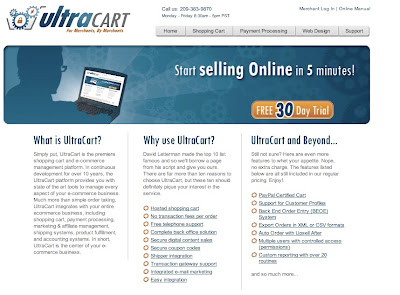
Ultracart KILLS 1ShoppingCart


I have done EXTENSIVE research into different carts and have found Ultracart to be the big winner for a number of reasons listed below so I decided to share it with all, because all the gurus push 1ShoppingCart as they have affiliate deals with them, but in comparison it sucks!!

Ultracart beats 1ShoppingCart on so many levels it's crazy. Here are the major reasons why Ultracart is better (and no i am not affiliated with them or anything i just think they have an amazing product)


Scripts and embed tags on the checkout page!!!!! you can add video, or popups, or countdowntimers, or audio testemonials, or anything else you want to your checkout page! IF you dont realize how huge this is you need to read more!


No easy cancel! they have a feature named this which specificaly allows you to turn off all emails to recurring customers and make them call you to cancel their subscription.
This is huge because 1ShoppingCart sends every reccuring customer an email every month telling them how much you charge and how to cancel and you can't control it or even modify the copy!
We can argue ethics all we want but recurring works best when people forget about it and let it run for months on end, 1ShoppingCart effectively kills that! (this was the prime reason i wanted to leave 1ShoppingCart)
[Also their recurring billing system is an order of magnitude more flexible than 1ShoppingCart]


Full customization of the checkout process in 2 different ways:
A. design your own forms and just pass the data to Ultracart to verify!! TOTAL Flexibility
B. pay Ultracarts in house dev team $75/hour and they will customize the forms in your account for you! (this is what im doing, i like to have somebody i cna call and complain to if my tech stuff doesnt work and i dont have a full time web guy yet)


You can host the secure page on your own domain! this doesnt sound like a huge deal but it is. Through ultracart you can buy an SSL certificate, then when people check out with you they dont get sent to mcssl.com or ultracart.com or watever like with 1ShoppingCart, instead they stay on your site and simply checkout at secure.yoursite.com, now that may not sound big but i just think its an awesome thing for customers to never have to leave your environment!


Built in upselling system after the initial sale. Basically you set up your upsell items and the items that trigger them (so if somebody buys your dog book you can offer them dog soap)
then you can set up different paths to test (HUGE DEAL!) so u can offer htem upsell 1, 2 then 3 or split test it against offering 3, 1 then 2.
Easy useage for this "Priority order handling" give them the opportunity to pay you $4.95 to rush to fulfill their order before everybody elses = free money! but does it work better before or after youve asked them to buy the other upsells?!
The best part is this all happens AFTER they put their credit card info in and their order is set on a timer so even if they close the browser it goes through for the initial product and any upsells they choose after 45 min.
This feature alone is gonna save you countless hours manualy entering in upsell orders if you had to do it via a script!

There are a litany of other features but these are the big 5 that really got me to switch!

Oh yeah, and its cheaper!

Thursday, July 03, 2008

Easy, No Effort Way to Achieve Your Dreams


I'll be sharing this one in my speaking life, but wanted to give it to you first.

This is NOT easy. Frankly, it's mentally exhausting. But I think it's one of the most useful ideas/strategies that I've put to use over the past couple of years.

Okay, so enough with the prelim warnings. Let's get to it.

Right now, I've got a LOT of stuff on my plate... At least 4 separate businesses that are all coming together at once, and with work I'm responsible for in each business. It's hard to find time to focus on the development of any one business without getting distracted with another, as well as keep up my habit of learning new material, exercising  and teaching Jiu-Jitsu. But, I know how important it is to give focused, directed thought to each business, so....

Today, instead of putting on sped up business/marketing material on the MP3 when I went out for my 2 hour walk, I decided to try something different. I read into my voice recorder each of the questions from Gary Bencivenga's "Da Bomb" (over 50 of them), each to a separate MP3, then loaded them onto my mp3 player. Then, while walking, I listened to each question, and answered as best as I could into the voice recorder.

I ended up with 48 minutes of notes answering every question on "Da Bomb". I doubt I could have had the patience/focus to get through the whole thing in a sitting (I know I couldn't... e-mails were coming in, internet's tempting, etc). But while walking, there was nothing else to do. In other words, it's the perfect environment for focused introspection about my businesses.

You can obviously do the same thing with any number of checklists that are available. Every copywriting checklist, marketing strategy checklist, jay abraham questionairre, etc... These things are widely available, but I've never actually taken the time to go through them on a step by step basis. Chunking them into my walk was the first strategy I've used to really dig deep mentally in this way, and it produced some great results.

So the question to ask yourself is this: What "pre-flight checklists" exist for your business model? What areas bear more introspection? How can you structure it (either during a walk like I did, or during a commute, etc) so that you're confined with only those penetrating questions to answer for an extended period of time? (Just as a note: My reading of the Gary B questions were 8:40 in length. My answers to the questions were around 50 minutes. Hence, I'm pretty confident in scheduling myself at least 2 hours to get an hours worth of output, as a general rule).

Hope this helps somebody

Wednesday, July 02, 2008

Guide to Build a Successful Business


'Systematizing' the online business process is an area I've been struggling with for a little while now. While novices to IM(Internet Marketing) tend to feel swamped by the range of tactics and techniques available, more experienced IMers are merely buried in the ideas and knowledge they've gained (which in my case just swirls around in my head all the time!). Neither feels especially 'free' of worry or stress! Whatever stage you're at, finding ways to simplify the process is a major step in creating personal freedom. It would make a good subject for the group to discuss and develop.

Many guru's split the process into four stages - IDENTIFY YOUR MARKET, DEVELOP YOUR PRODUCT, BUILD YOUR LIST, PROMOTE YOUR OFFER and although there are clearly alternative stages, and sub-stages within this model, it pretty much covers every types of business. Even a $100-a-day cashcow that's runs on autopilot requires each of these stages to some degree. If these stages could be broken down into a simple checklist along the lines 'go here, do this, check that, click this - and so on' it would help both novices and experienced entrepreneurs. People like Ed Dale have been making attempts to do this and there are countless WSOs and short reports that try to do so but I haven't found any programme yet that has got the process completely right.

I agree that a 'proper' business is the natural goal for most entrepreneurs, but people starting out should consider carefully what they define as 'proper'. I've started, built and run several businesses. I've also been involved or advised countless others. Believe me, if you're fed up with doing a 9-5 job for someone else with limited remuneration, lack of enjoyment and buckets of stress, then running a 10/20/30-person company won't be any different! In fact, it'll be worse. 

There are only three reasons for doing it:

1. You 'might' make a shitload of money (but don't bet on it - 95% of all startups fail in the first three years)
2. You 'might' be able to sell the business for a shitload of money (after 5/10/20/50 years of bloody hard work building it up)
3. You 'might' be able to take a back seat, hand the company to employees to run, and live comfortably off the profits

Most people starting in business have options 1 (and maybe 2) in mind. But it's option 3 that is most appealing. Creating a business which produces hands-free 'residual' income year after year with little or no effort is, in my opinion, the key to success, and something that could be achieved in a matter of months rather than taking years.

A $100-a-day cashcow isn't always the best starting point. It's surprising how much time you can spend tinkering with your cashcow - before you know it, months or years have slipped by, and you're still only earning $100 a day! So I would be wary of focussing too much on that.

Having said that, it's doesn't take a huge amount of effort to get a small ebay business going, or setting up an ezine, or creating a short report, or building a simple affiliate site. It's not rocket science - you just have to get on with it.

Tuesday, July 01, 2008

Recommendation for keeping notes: Evernote


I just found (was probably the last one to find) a really useful product called Evernote.

Evernote is a product that allows you to store notes in 'the cloud', accessing them with desktop apps on both mac and windows, over the web with an iphone interface and with a windows mobile app, and there's a native iphone app in the works. Now, whenever I take notes, I can access them from anywhere. I can take new notes on the phone, or on my laptop, or on one of the other PC's, and they'll be accessible from all the others. I can tag my notes and categorise my notes. It has a bookmarklet thing that enables me to clip notes from within firefox and from outlook on the PC, and from anywhere - if I'm on my mac laptop I can just do a different kind of 'paste' instead of the regular one and whatever was on the clipboard gets put through to a note.

I can really recommend this.